

Individualisieren der Darstellung von Aktionen im Checkout
Mit der Erweiterung kann die Darstellung von Aktionen im Checkout individualisiert werden. Es ist zum Beispiel möglich, bei der Aktion ein alternatives Bild auszuwählen, das anstatt des Marketing-Icons im Checkout angezeigt werden soll. Außerdem kann eine Beschreibung hinterlegt werden, die unterhal...
Drittanbieter-Erweiterung, der Einfachheit halber aufgenommen. Maestrino steht in keiner Verbindung zum Autor.
Dies ist eine Open-Source-Erweiterung, die vom Autor unter einer offenen Lizenz bereitgestellt wird. Wir empfehlen ausdrücklich, sich die Arbeit des Autors anzusehen — und dem Projekt nach Möglichkeit eine Spende zukommen zu lassen. Zum Projekt des Autors
Über diese Erweiterung
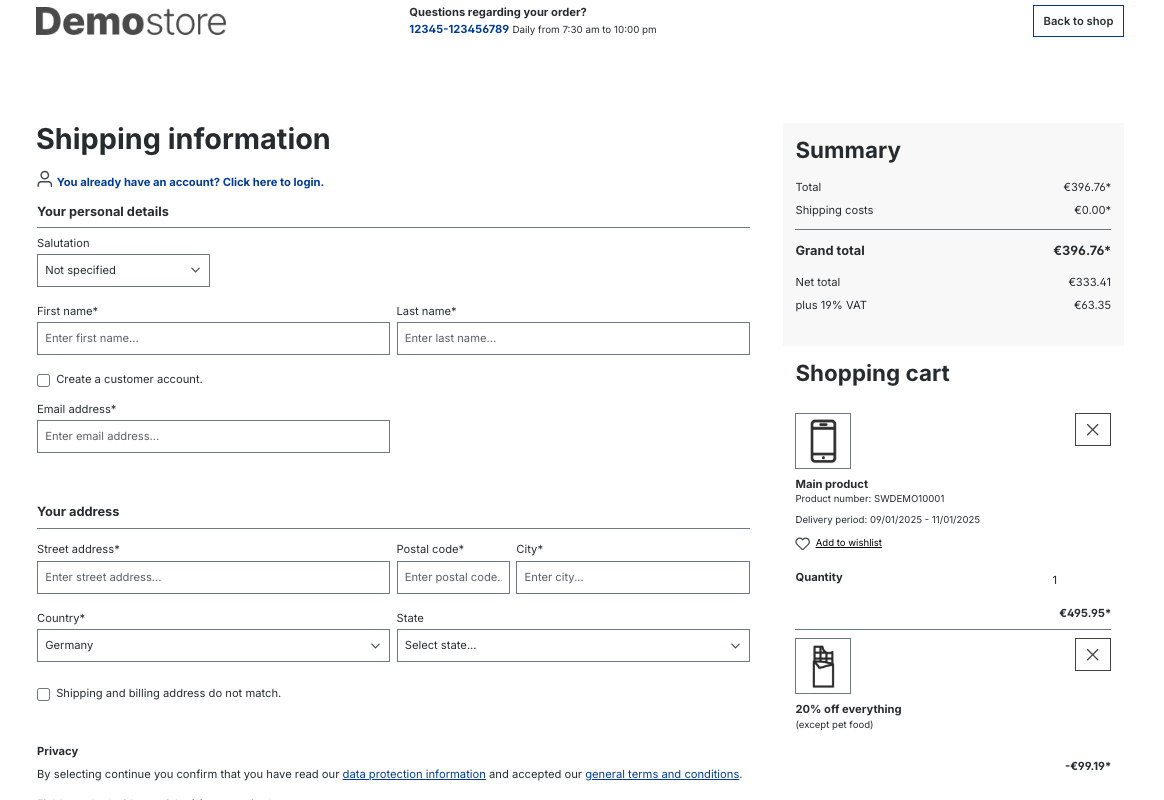
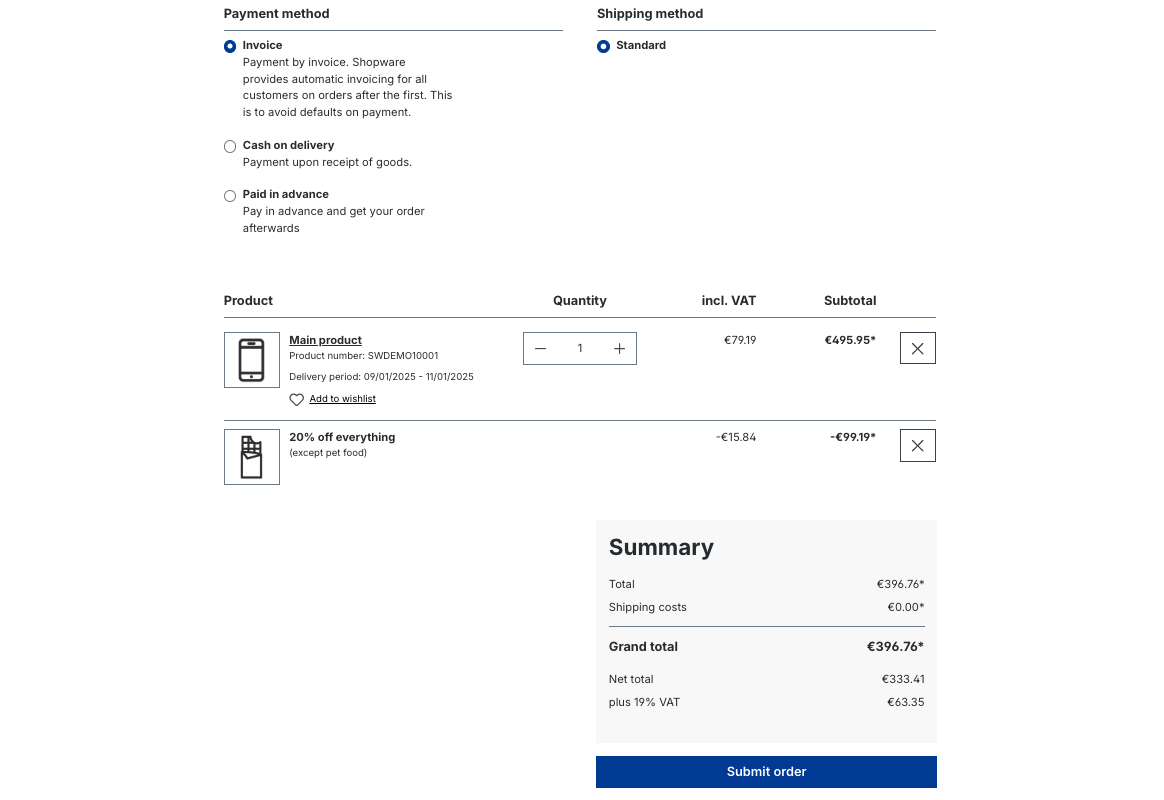
With the extension, the display of promotions in the checkout can be customized.
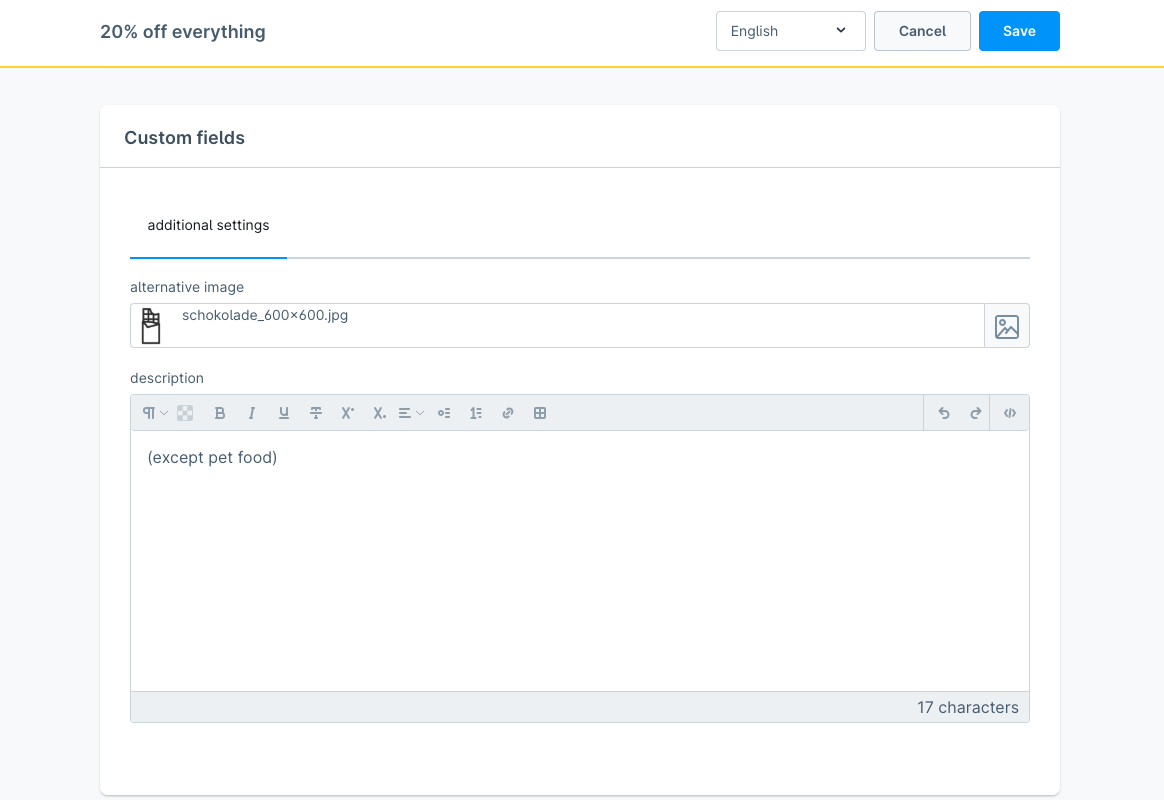
For example, it is possible to select an alternative image at the promotion to be displayed in the checkout instead of the marketing icon.
In addition, a description can be entered that is displayed below the name of the promotion and, for example, states the restrictions of the promotion again.
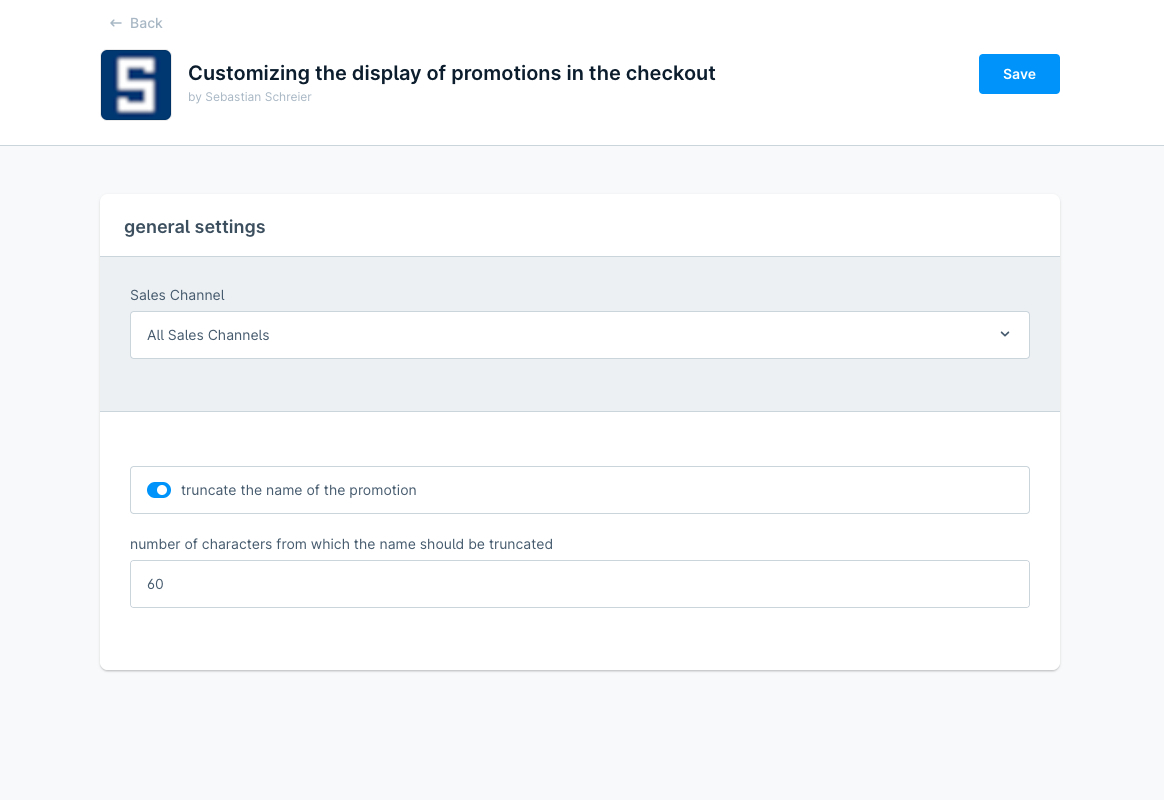
Furthermore, you can select within the configuration of the extension whether the name of the promotion should be truncated to 60 characters as in the Shopware 6 standard and if so, you can alternatively select a higher value for the truncating.
Possible configurations
- select if the name of the promotion should be truncated
- select the number of characters from which the name should be truncated
How to install the extension
via zip and console (recommended)
- Download the latest SschreierCustomizingDisplayPromotionsInCheckout-master.zip.
- Unzip the zip file and rename the folder to SschreierCustomizingDisplayPromotionsInCheckout.
- Move the folder to the project folder custom/plugins/ .
- Connect to the console via ssh:
bin/console plugin:refresh
bin/console plugin:install --activate SschreierCustomizingDisplayPromotionsInCheckout
via composer
- Add the repository URL to the composer.json of the project
"repositories": [
    ...,
    {
        "type": "vcs",
        "url": "https://github.com/sschreier/SschreierCustomizingDisplayPromotionsInCheckout"
    }
],
- Connect to the console via ssh and install the plugin via the command
composer require sschreier/sschreiercustomizingdisplaypromotionsincheckout
bin/console plugin:refresh
bin/console plugin:install --activate SschreierCustomizingDisplayPromotionsInCheckout
via https://packagist.org
- Connect to the console via ssh and install the plugin via the command
composer require sschreier/sschreiercustomizingdisplaypromotionsincheckout
bin/console plugin:refresh
bin/console plugin:install --activate SschreierCustomizingDisplayPromotionsInCheckout
via zip upload
- Download the latest SschreierCustomizingDisplayPromotionsInCheckout-master.zip.
- Unzip the zip file and rename the folder to SschreierCustomizingDisplayPromotionsInCheckout.
- Zip the folder to SschreierCustomizingDisplayPromotionsInCheckout.zip.
- Upload the zip in the Shopware Administration.
- Install & Activate the extension.
extension update (zip)
- Download the latest SschreierCustomizingDisplayPromotionsInCheckout-master.zip.
- Unzip the zip file and rename the folder to SschreierCustomizingDisplayPromotionsInCheckout.
- Zip the folder to SschreierCustomizingDisplayPromotionsInCheckout.zip.
- Upload the zip in the Shopware Administration.
- Update the extension.
Images
default
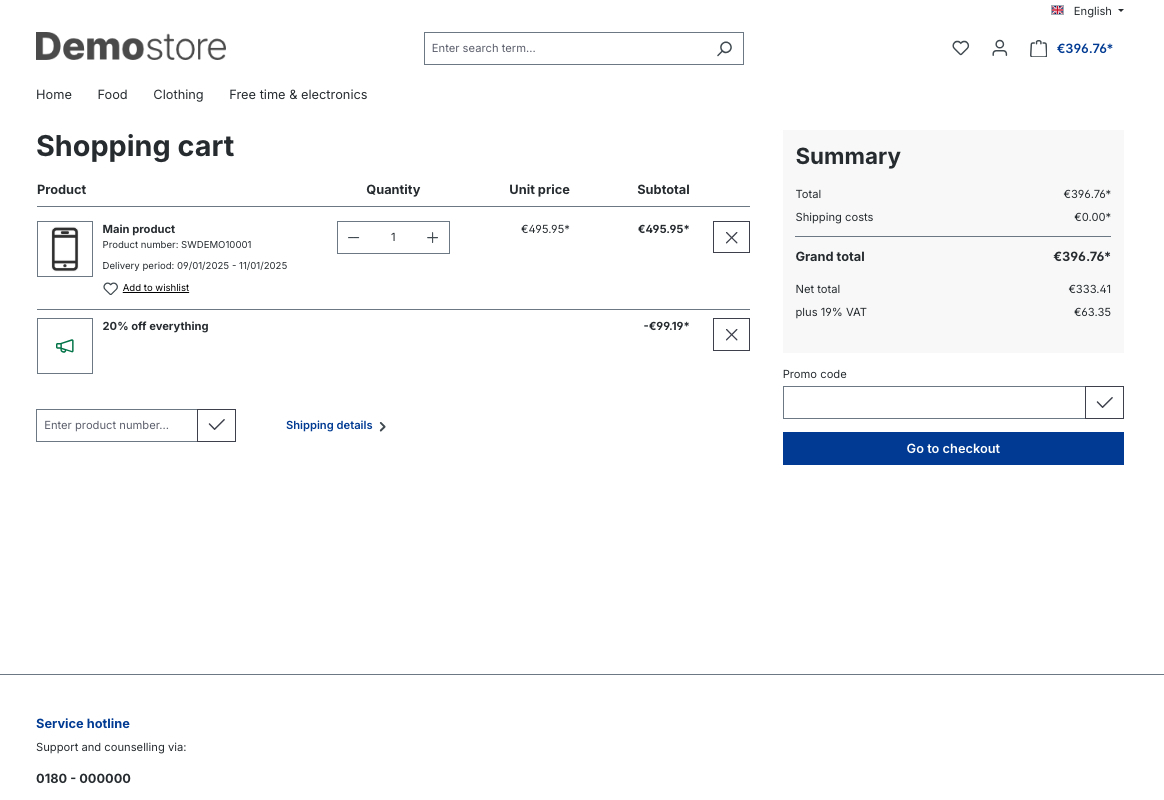
alternative image and description for a promotion in the shopping cart
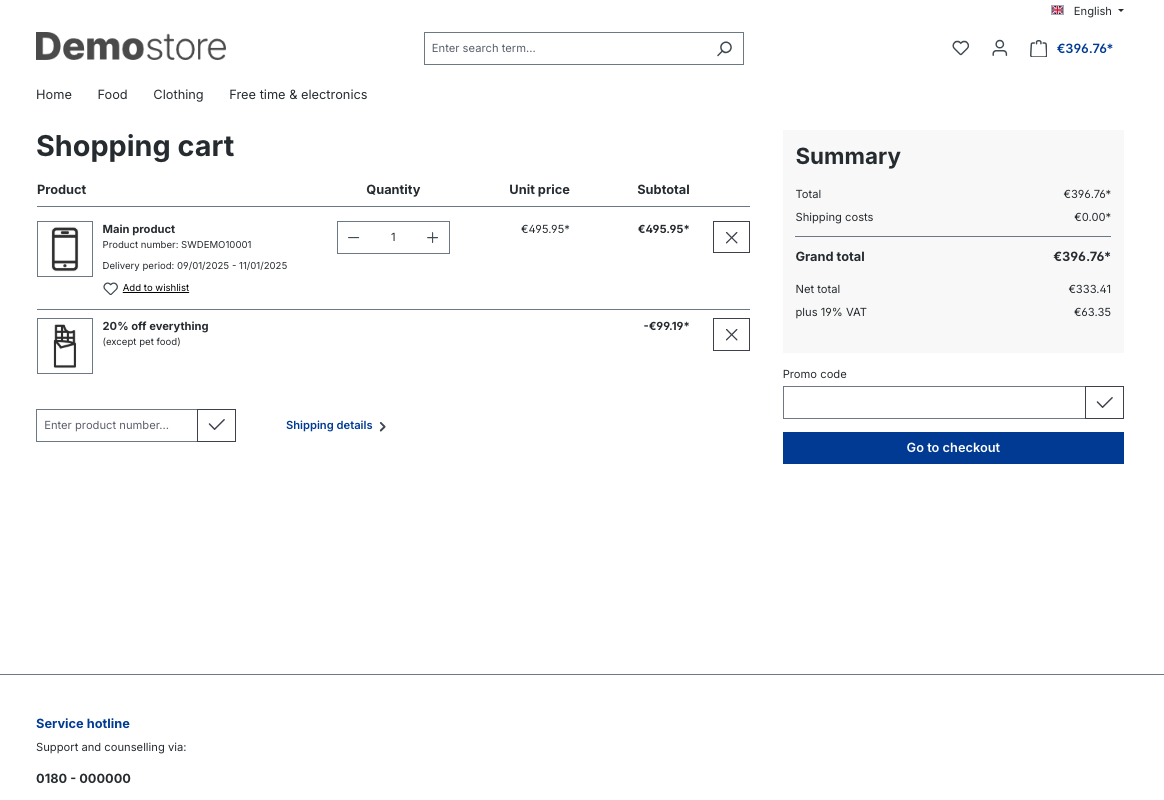
alternative image and description for a promotion on the checkout register page
alternative image and description for a promotion on the confirm page
extension configuration
alternative image and description for a promotion within the custom fields of a promotion
Bewertungen
Noch keine Bewertungen. Kunden, die diese Erweiterung lizenziert haben, können die erste schreiben.
Nur Kunden, die diese Erweiterung lizenziert haben, können eine Bewertung schreiben. Deine schreibst du in deinem Dashboard.
Kein Konto nötig — lade direkt herunter oder abonniere, um die Erweiterung in deinem Workspace zu verwalten.
Dieses Projekt auf GitHub ansehenOhne Konto per Composer installieren
composer require sschreier/sschreiercustomizingdisplaypromotionsincheckout
Mit einem Abo wirst du außerdem über Updates informiert, und der Anbieter kann dich bei Bedarf erreichen.
Wir bringen dich direkt hierher zurück.
Links
Kein Konto nötig — lade direkt herunter oder abonniere, um die Erweiterung in deinem Workspace zu verwalten.
Dieses Projekt auf GitHub ansehenOhne Konto per Composer installieren
composer require sschreier/sschreiercustomizingdisplaypromotionsincheckout
Mit einem Abo wirst du außerdem über Updates informiert, und der Anbieter kann dich bei Bedarf erreichen.
Wir bringen dich direkt hierher zurück.