

customizing the administration dashboard
The administration dashboard can be customized via the extension. For this purpose, it offers under "Settings" -> "System"> "Users & permissions" -> "Roles" in the area "Additional permissions" a new area "Dashboard" in which you can hide the following areas of the dashboard for the selected role:...
Third-party extension, added for convenience. Maestrino has no affiliation with the author.
This is an open-source extension, provided by its author under an open license. We strongly recommend checking out the author's work — and consider donating to the project if you can. Visit the author's project
About this extension
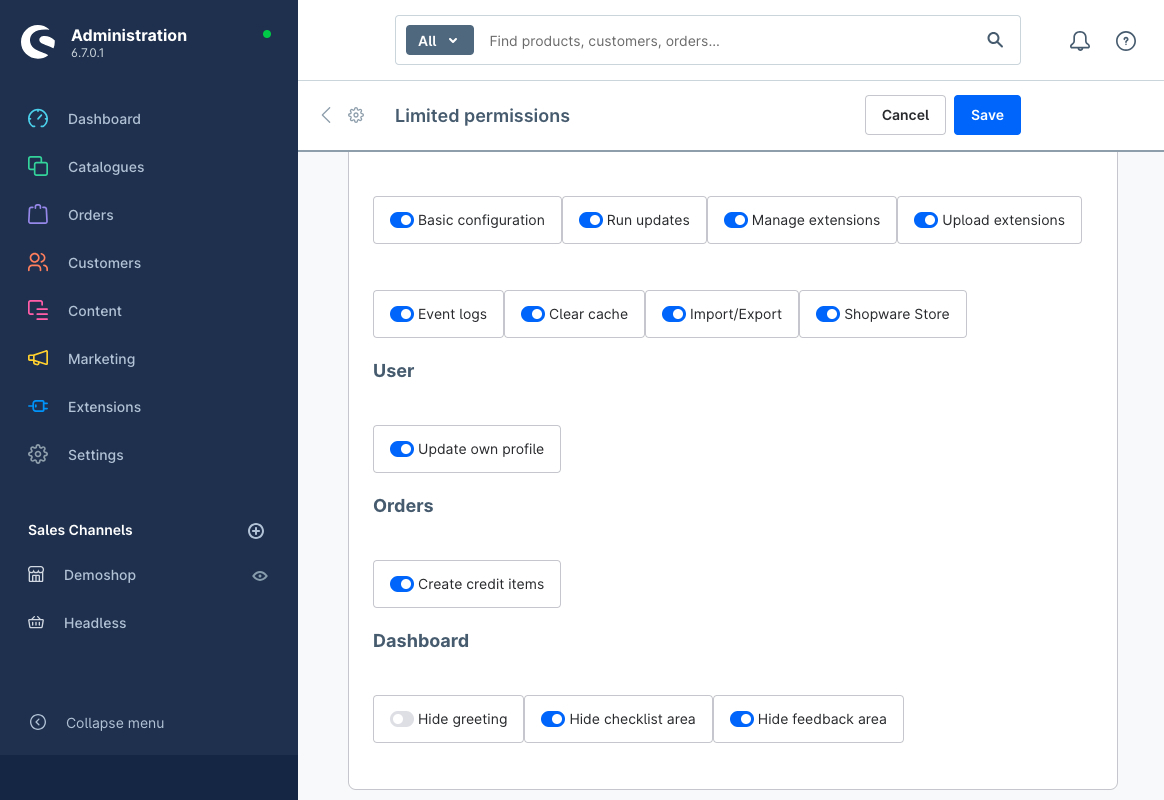
The administration dashboard can be customized via the extension. For this purpose, it offers under "Settings" -> "System"> "Users & permissions" -> "Roles" in the area "Additional permissions" a new area "Dashboard" in which you can hide the following areas of the dashboard for the selected role:
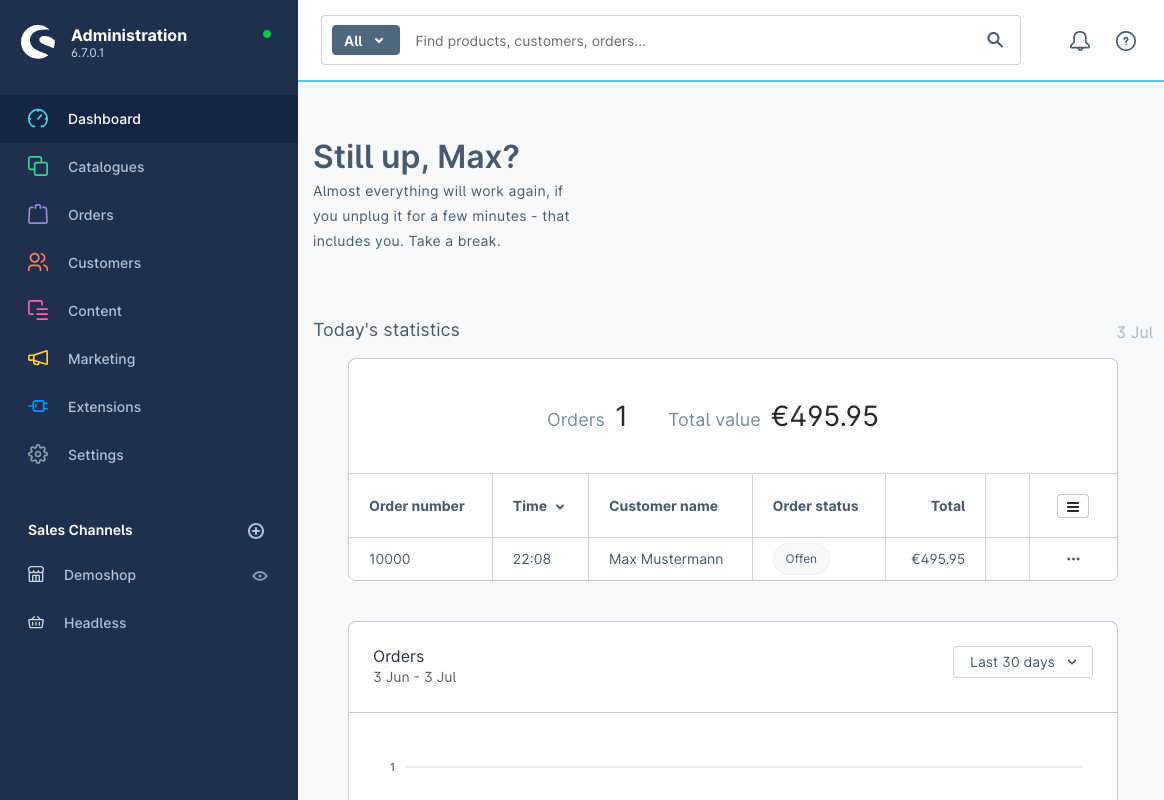
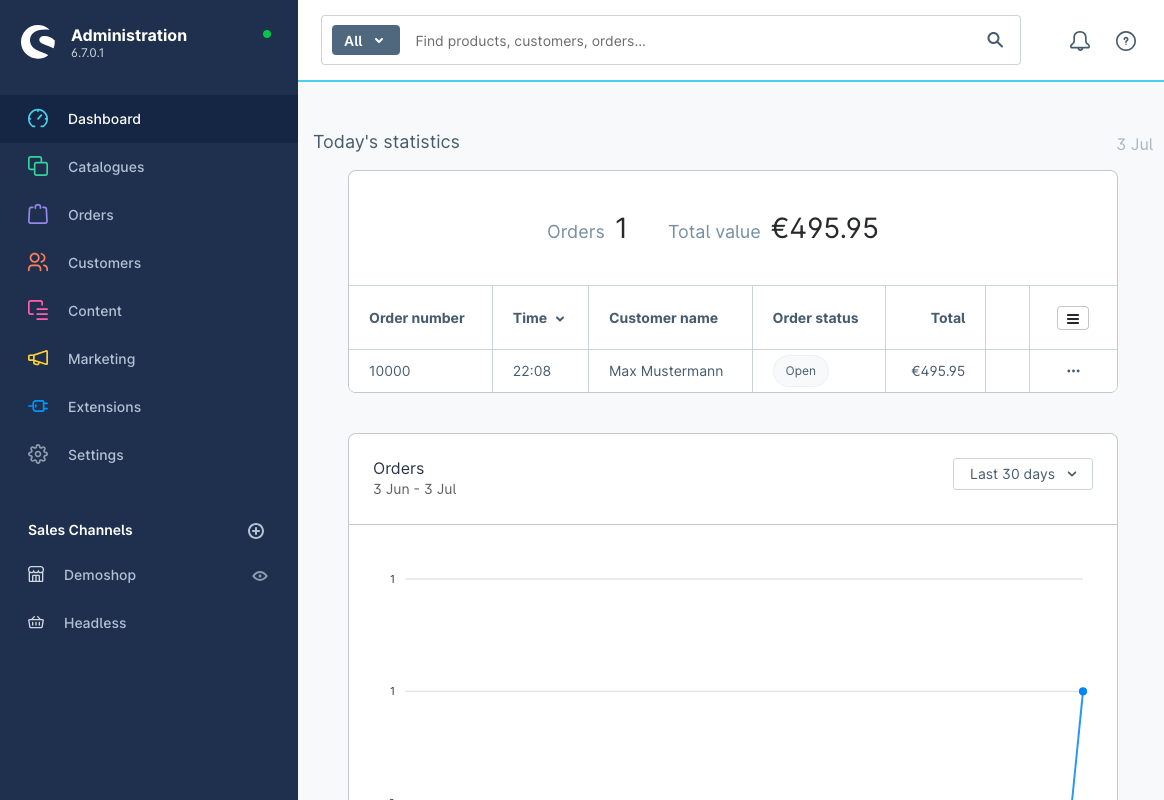
- the greeting
- the checklist area
- the feedback area.
The areas today's statistics, statistics of the orders and statistics of the turnover cannot be hidden individually, because Shopware plans to remove this areas as part of an update and probably replace it with Shopware Analytics. See: https://github.com/shopware/shopware/blob/v6.7.0.0/src/Administration/Resources/app/administration/src/module/sw-dashboard/component/sw-dashboard-statistics/sw-dashboard-statistics.html.twig#L1 .
To hide the statistics, the checkbox "View" under "Orders" and "Orders" must be deactivated.
The Administrator account always see all areas on the dashboard, because he has no own role.
How to install the extension
via zip and console (recommended)
- Download the latest SschreierAdministrationDashboard-master.zip.
- Unzip the zip file and rename the folder to SschreierAdministrationDashboard.
- Move the folder to the project folder custom/plugins/ .
- Connect to the console via ssh:
bin/console plugin:refresh
bin/console plugin:install --activate SschreierAdministrationDashboard
via composer
- Add the repository URL to the composer.json of the project
"repositories": [
    ...,
    {
        "type": "vcs",
        "url": "https://github.com/sschreier/SschreierAdministrationDashboard"
    }
],
- Connect to the console via ssh and install the plugin via the command
composer require sschreier/administration-dashboard
bin/console plugin:refresh
bin/console plugin:install --activate SschreierAdministrationDashboard
via https://packagist.org
- Connect to the console via ssh and install the plugin via the command
composer require sschreier/administration-dashboard
bin/console plugin:refresh
bin/console plugin:install --activate SschreierAdministrationDashboard
via zip upload
- Download the latest SschreierAdministrationDashboard-master.zip.
- Unzip the zip file and rename the folder to SschreierAdministrationDashboard.
- Zip the folder to SschreierAdministrationDashboard.zip.
- Upload the zip in the Shopware Administration.
- Install & Activate the extension.
extension update (zip)
- Download the latest SschreierAdministrationDashboard-master.zip.
- Unzip the zip file and rename the folder to SschreierAdministrationDashboard.
- Zip the folder to SschreierAdministrationDashboard.zip.
- Upload the zip in the Shopware Administration.
- Update the extension.
Images
administration dashboard without the areas for the checklist and the feedback
administration dashboard without the areas for the greeting, the checklist and the feedback
new area "Dashboard" under "Settings" -> "System"> "Users & permissions" -> "Roles" in the area "Additional permissions" in which you can hide the areas of the dashboard for the selected role
Reviews
No reviews yet. Customers who have licensed this extension can leave the first one.
Only customers who have licensed this extension can write a review. Write yours from your dashboard.
No account needed — download directly, or subscribe to manage it in your workspace.
View this on GitHubInstall via Composer without an account
composer require sschreier/administration-dashboard
Subscribing also keeps you informed about updates, and lets the provider reach you when needed.
We will bring you straight back here.
Links
No account needed — download directly, or subscribe to manage it in your workspace.
View this on GitHubInstall via Composer without an account
composer require sschreier/administration-dashboard
Subscribing also keeps you informed about updates, and lets the provider reach you when needed.
We will bring you straight back here.